
What is Descript best for?
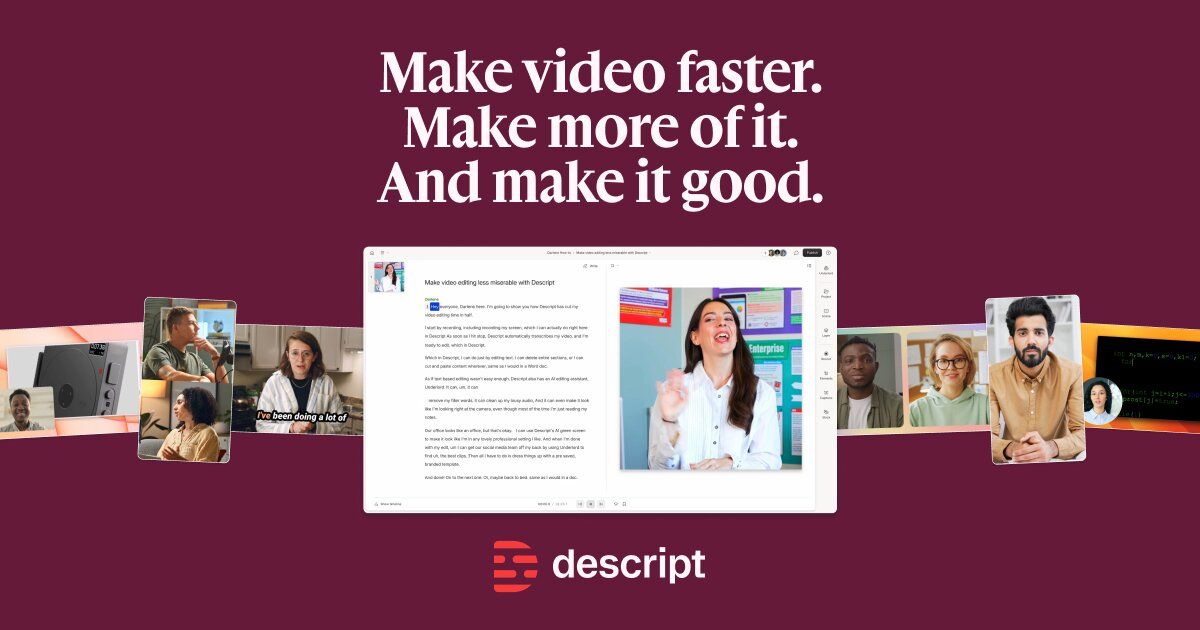
Descript is best for teams editing spoken audio and video, especially when they want post-production to feel faster, more accessible, and closer to editing text.
Best for transcript-based podcast, video, and spoken-content editing workflows
Descript is a transcript-first media editing platform built for teams that work with spoken content across video, podcasts, demos, and internal communication. It is strongest when the main job is to edit narration, remove friction from post-production, and turn recorded material into polished publishable assets more quickly.
Best for
Ideal for
Descript is a transcript-first media editing platform built for teams that work with spoken content across video, podcasts, demos, and internal communication. It is strongest when the main job is to edit narration, remove friction from post-production, and turn recorded material into polished publishable assets more quickly.

| Icon | Item | Details |
|---|---|---|
| 🚀 | Tool name | Descript |
| 🧭 | Category | Video |
| 💰 | Pricing | Freemium |
| 👥 | Audience | Podcasters, Marketing teams, Video creators |
| 🎯 | Positioning | Best for transcript-based podcast, video, and spoken-content editing workflows |
Lets teams edit audio and video through transcript-based workflows that reduce post-production friction
Supports cleanup, trimming, and repurposing of spoken content without a steep editing learning curve
Useful for podcasts, walkthroughs, interviews, webinars, and internal recordings
| Dimension | Descript | Runway | Synthesia |
|---|---|---|---|
| Media workflow | ✅ Geared toward video or rich media creation tasks | ✅ Competitive in adjacent production flows | ⚪ Usually stronger outside core video creation |
| Speed to draft | ✅ Useful for producing an initial edit or content draft quickly | ✅ Often comparable for related tasks | ✅ Better when the use case is simpler or narrower |
| Team usage | ✅ Helpful for repeatable content production workflows | ✅ Viable for adjacent teams and channels | ⚪ Less often the first choice for media-heavy operations |
Best for AI video generation, editing, and rapid creative media workflows
View detailsBest for AI avatar videos, training content, and scalable business explainers
View detailsBest for async team communication, video summaries, and recorded workflow updates
View detailsFrequently Asked Questions
Descript is best for teams editing spoken audio and video, especially when they want post-production to feel faster, more accessible, and closer to editing text.
Descript uses a freemium model, so teams can usually try the workflow first, but more serious production usage, collaboration, or export needs often require paid access.
Descript makes more sense when the bottleneck is editing spoken content quickly rather than performing advanced cinematic editing in a full timeline-based production suite.
Visit the official website to review pricing, test the workflow, and compare it against your shortlist.